
Minnesota Questions Tool
Explore test questions from past exams
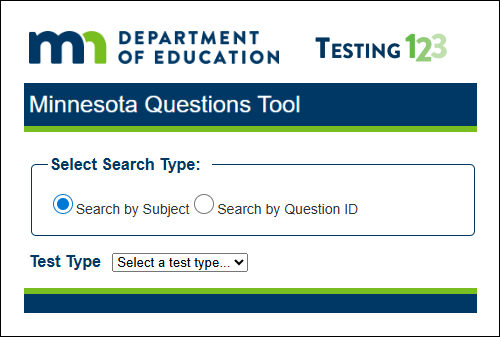
The Minnesota Questions Tool (MQT) is a searchable database of released and sample test questions, also called items, from past MCA and MTAS/Alternate MCA (Alt MCA) administrations. It includes items across all tested subjects (reading, math, and science) and grade levels, along with detailed information about each item, correct answers, scoring guides, and rationales. This information helps educators understand how test items are written to reflect the rigor and complexity of the Minnesota K-12 Academic Standards and evaluate the knowledge and skills students are expected to demonstrate.
What’s included in the MQT
- Released or sample MCA and MTAS/Alt MCA items across all tested subjects and grade levels
- Field‑tested items with student response data
- Correct answers and scoring guides with rationales for each answer option
- Item-level information, including grade, subject, content area, question type, and cognitive complexity level based on Norman Webb’s Depth of Knowledge (DOK)
- Performance data showing the percent of students selecting each response option
- Technology‑enhanced item types such as drag‑and‑drop, bar graph, hot spot, and multiple response
Important notes about released and sample items
- Are not practice tests and should not be used to prepare students for the MCA or MTAS/Alt MCA
- Do not function like the operational test platform
- Do not represent full standards coverage or the test specifications
- Are aligned to benchmarks, but each item reflects only part of a benchmark’s expectations
How educators can use the MQT
- Understand how MCA items align to the Minnesota K-12 Academic Standards
- Explore rigor, cognitive complexity, and DOK levels
- Identify common student misconceptions using item rationales and distractor data
- Examine student performance data for previously field‑tested or operational items
- View examples of item types used on the MCAs, including various technology‑enhanced item types
- Support instructional planning, Professional Learning Community (PLC) discussions, and classroom assessment design
How to search the MQT
- Test type and Subject:
- MCA – Mathematics
- Alt MCA – Reading, Mathematics, and Science
- MCA-IV – Reading and Science
- Grade(s)
- Content Area
- Question types: multiple choice, constructed response, bar graphs, match questions and other item formats
- Complexity (DOK) level
- Question: item content, reading passage, or science phenomena
- Key/Scoring Guide: correct answer and rationales for all options
- Performance Data: percent of students selecting each answer or the percent answered the item correctly
Science MCA‑IV Released Items
NAEP Released Items
The National Assessment of Educational Progress (NAEP) assesses what students in grades 4, 8, and 12 know and can do in core subjects. NAEP questions are developed using assessment frameworks that outline the subject-specific.
After each subject-level assessment administration, NAEP releases a portion of the questions to the public through free online tools. These released questions show the types of questions used on NAEP assessments and include scoring information, student performance data, and sample student responses.
Although NAEP frameworks are not aligned to Minnesota K-12 Academic Standards, released NAEP questions remain a valuable resource for instructional extension, assessment design, and exploring cognitively complex question types.
NAEP Assessments:
- Are large-scale, standardized assessments that are summative and criterion referenced. NAEP is low stakes for students, schools, and districts
- Include selected-response questions, constructed-response questions, and scenario-based tasks
- Reflect assessment frameworks that outline subject-specific knowledge and skills while remaining independent of state standards and curricula
- Do not measure grade-level proficiency and are not aligned to Minnesota standards
- Released questions represent a subset of each assessment, do not provide complete content coverage, and are not intended as practice tests
Educator Application
Educators can use NAEP questions to:
- Explore examples of cognitively complex question types across subjects and grade levels
- Apply scoring rubrics and sample student responses to inform classroom assessment design
- Extend instructional practice to include more complex, rigorous exercises
- Model innovative assessment approaches in their own classrooms
Note: The ability to view percent correct, scoring guides, and sample student responses is available only in the NAEP Questions Tool. These features allow educators to compare classroom performance to national patterns and better understand student thinking.
Tools
- NAEP Questions Tool - Database of over 3,000 released items across 10 subjects. Users can search questions by subject, grade, or content area; view performance data and sample student responses; and create customized assessments or save items later use.
- NAEP Item Maps – Visual representations of NAEP Achievement Level descriptions, showing what students at each level know and can do.