

MCA Test Structure
This page contains resources and information for educators to support students in navigating the online format of the MCAs.
Student Readiness Tools (SRTs)
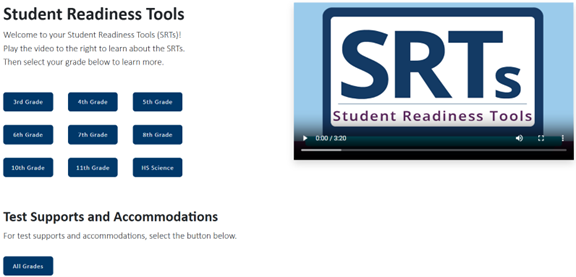
The Student Readiness Tools (SRTs) are tools that can be used to familiarize students with the online format of the MCAs. They are available on the Student Readiness Tools page of the PearsonAccess Next website (PearsonAccess Next > Preparing for Testing > Student Readiness Tools).
The SRTs are available for students in each grade level, and include instructional videos and practice opportunities that will help them become more familiar with the MCAs. Students will learn how to navigate within the test, use its tools and test supports, and indicate answers for each type of question. No login information is needed to access the SRTs. Calculators, mathematics tables, and formula sheets are also available on PearsonAccess Next (PearsonAccess Next > Preparing for Testing) so students can practice using these tools outside of the SRTs.
Note: Paper SRTs are available for students taking an MCA paper test, and Braille versions of the SRTs are also available for order. The paper SRTs familiarize students with the look and feel of a paper MCA, the types of question on the test, and how to indicate answers to questions. Large print versions are also available.
Educators are also welcome to explore the SRTs, and can access the following resources linked on the SRTs page to support the use of these tools:
- Overview of the Student Readiness Tools
- Online SRTs Guide for Educators
- Online SRT Tutorials Supplemental Information
Test Specifications and Performance Descriptors
Assessment Format
The Mathematics MCA has independent math questions that students answer. Online tools (such as a calculator or ruler) are also present on certain items or groups of items to help students provide their answers. This test in an adaptive assessment that adjusts to each student's performance at an item level. Each student begins the test with a test item of average difficulty. When the student answers the item, the response is immediately scored. If the response is incorrect, the algorithm selects a slightly easier question for the student to answer next. If the response is correct, the algorithm selects a slightly more difficult question for the student to answer next.
Item Types
The Mathematics MCA contains multiple choice and technology enhanced items. Technology enhanced items may consist of the following types of responses: type-in (student type numerical answers in a box), graphing (student plot data to complete various mathematical displays), drag-and-drop (students will formulate, rather than select, a response using drag-and-drop response options) and hot-spot (students select multiple correct responses or mark locations on mathematical graphics and displays).
To learn more about the various item types, refer to SRTs outlined above.
In addition, the test includes embedded field test questions that do not contribute to a student’s score, but are used to evaluate effectiveness for inclusion in future MCA administrations. Educator Review Committees meet to review all data from field test items and determine eligibility for use on future assessments.
About
Related Resources
Contact Us
- Minnesota Department of Education
- 400 NE Stinson Blvd.
- Minneapolis, MN 55413
- 651 582 8563